Control surface控制面
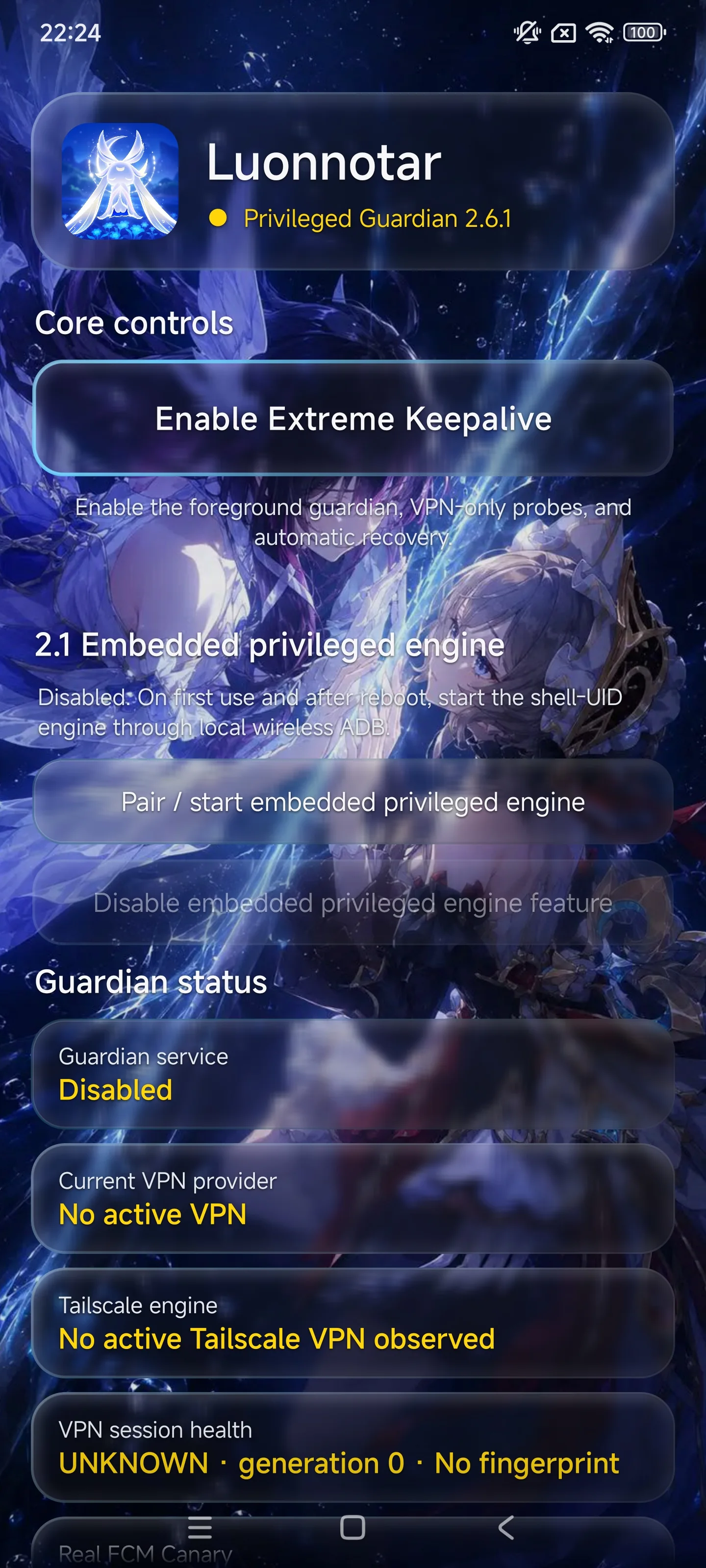
Configuration, state, evidence and explicit recovery controls stay in the Android app.配置、状态展示、证据和明确的恢复操作仍保留在 Android 应用里。
 Nazuna
02 / Privileged Android keep-aliveAndroid 特权保活
Android does not fail in one way. Luonnatar keeps watching, repairing and recovering.Android 的后台不会只以一种方式失效。努昂诺塔持续观察、修复,并在必要时恢复关键链路。
Luonnatar began as a set of Android reliability experiments. The 2.x line moved the important work outside the app UID: a privileged guardian can keep observing, unfreeze targets, repair background policy and submit deeper recovery without depending on Luonnatar's own UI process staying alive.努昂诺塔最初是一组 Android 后台可靠性实验。2.x 之后,关键守护工作被移到应用 UID 之外:特权引擎不再依赖努昂诺塔自己的界面进程存活,就能继续观察目标、解冻进程、修复后台策略,并在必要时提交更深层的恢复。
Why it exists为什么存在
Wake locks, foreground services and network checks are useful, but they all live inside an ordinary application UID. On aggressive Android builds, that entire UID can be frozen or deprived of the conditions a long-lived connection depends on.WakeLock、前台服务和网络检测都很有价值,但它们仍然活在普通应用 UID 内。在激进的 Android 系统上,整个 UID 都可能被冻结,长连接依赖的运行条件也可能被系统悄悄拿走。
That is the architectural break in Luonnatar 2.x: the UI becomes a control surface; the guardian work can run as a privileged shell-side engine. The project is no longer trying to make one process immortal. It is trying to make failure observable, recoverable and repeatable.这就是努昂诺塔 2.x 最关键的架构变化:主应用退回控制面,守护工作则可以运行在应用 UID 之外的特权 shell 引擎中。目标不再是“让某个进程永生”,而是让故障可被发现、可被恢复,而且恢复过程能够重复验证。
Configuration, state, evidence and explicit recovery controls stay in the Android app.配置、状态展示、证据和明确的恢复操作仍保留在 Android 应用里。
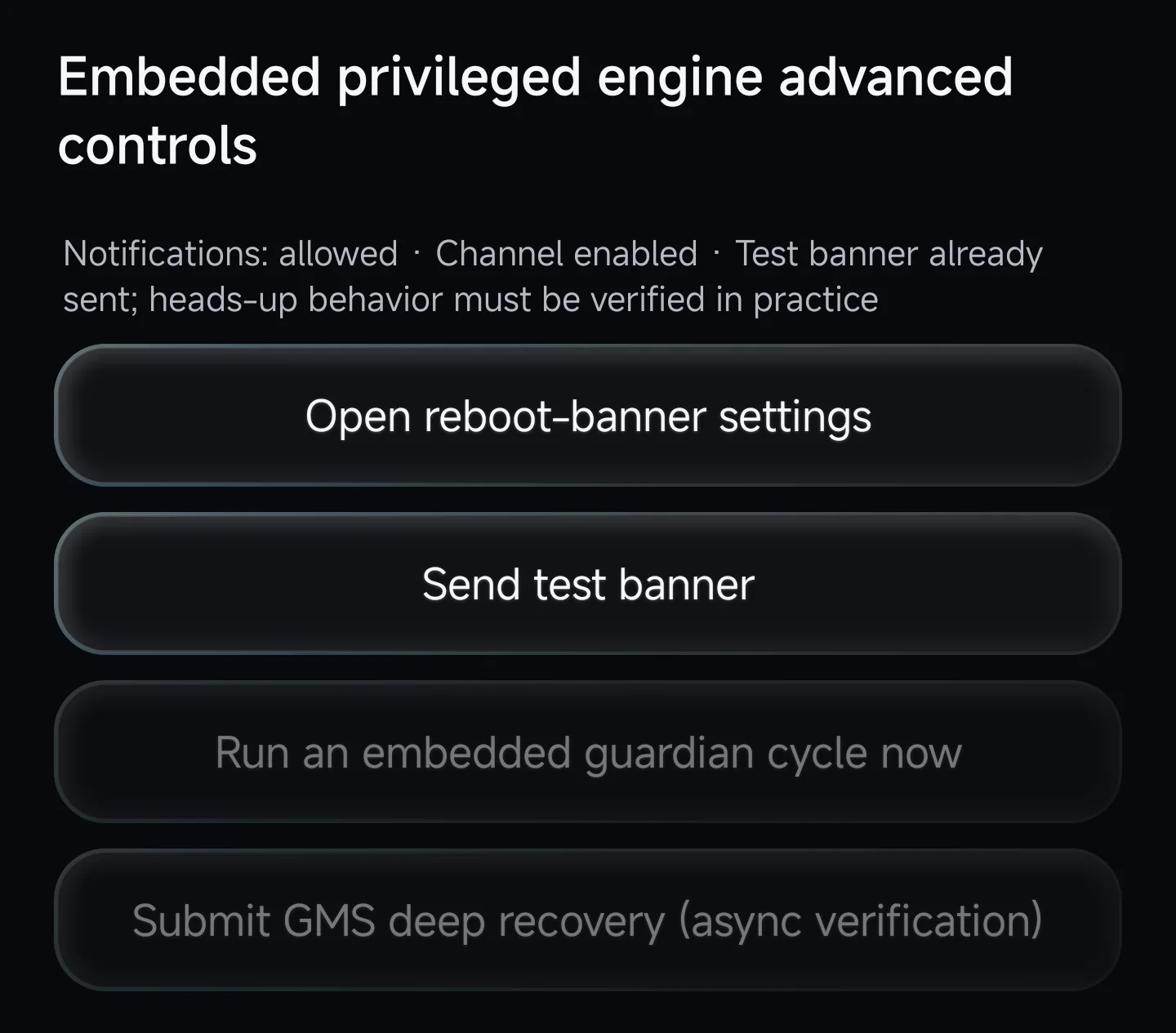
Embedded app_process / UserService execution keeps working outside the ordinary app UID and can act on frozen targets.内置 app_process / UserService 执行层运行在普通应用 UID 之外,因此即使主应用受限,也仍能处理被冻结的目标。
Privileged Guardian特权守护引擎
The engine combines periodic inspection with event-driven recovery. It scans process and cgroup freeze state, listens for freeze events, and re-applies protection when a new PID appears or a target is frozen again.引擎把周期检查和事件触发结合起来:扫描进程与 cgroup 冻结状态、监听冻结事件,并在目标换 PID 或再次被冻结时重新施加守护。
baseline process / freeze scan基础进程 / 冻结扫描
freeze evidence triggers an immediate extra pass出现冻结证据时立即追加检查
periodic repair of background policy and exemptions周期重申后台策略与豁免
Keep-alive stack保活栈
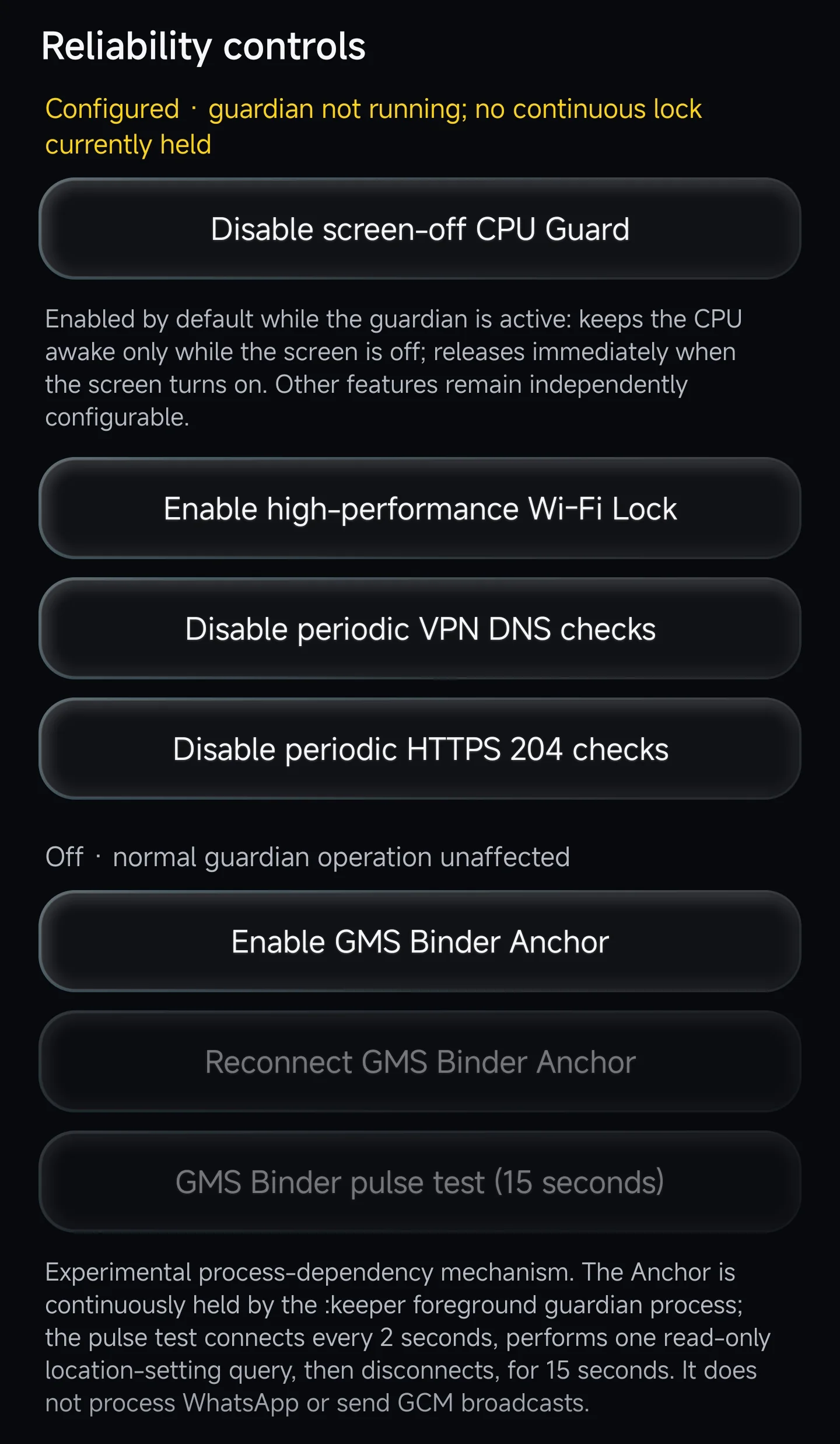
Luonnatar keeps the mechanisms separate because they solve different failure modes—and because separating them makes A/B testing possible.努昂诺塔把机制拆开,因为它们解决的是不同的故障;更重要的是,只有拆开变量,A/B 测试才有意义。
Keeps the CPU awake while guardian mode is active and the screen is off; releases it when the screen comes back.仅在守护运行且熄屏时保持 CPU 醒着,亮屏后立即释放。
A separate network-liveness variable for devices where CPU activity alone is not enough.独立的网络存活变量,用来判断“CPU 还醒着”之外,Wi-Fi 本身是否还需要额外维持。
Periodic checks make a silent network failure visible without pretending that a running PID means the connection is healthy.周期 DNS 与 HTTPS 204 检测用来暴露“进程还在,但网络已经悄悄死掉”的情况。
An experimental process-dependency path with reconnect and pulse tests kept separate from the baseline guardian.实验性的进程依赖路径,重连与脉冲测试保持独立,不和基础守护混成一个黑箱。
Recovery恢复
The normal path is deliberately boring: detect the frozen target, unfreeze it, then repair the background policy that should have kept it usable. A new PID, another freeze event, or enough elapsed time causes the protection to be asserted again.正常恢复路径故意做得很克制:发现被冻结的目标,先解冻,再修复它本应拥有的后台策略。目标换了 PID、再次出现冻结,或经过足够时间后,就重新施加保护。
GMS is different because a process can still exist while its push path is effectively dead. Luonnatar therefore has a deeper recovery path, but it is evidence-gated, rate-limited and asynchronous rather than firing on the first suspicious event.GMS 更麻烦:进程可以还存在,但推送链路实际上已经失效。因此努昂诺塔保留了更深层的恢复路径,但它不会见到一次异常就立刻触发,而是要求连续证据、限制频率,并通过异步方式提交。
State & evidence状态与证据
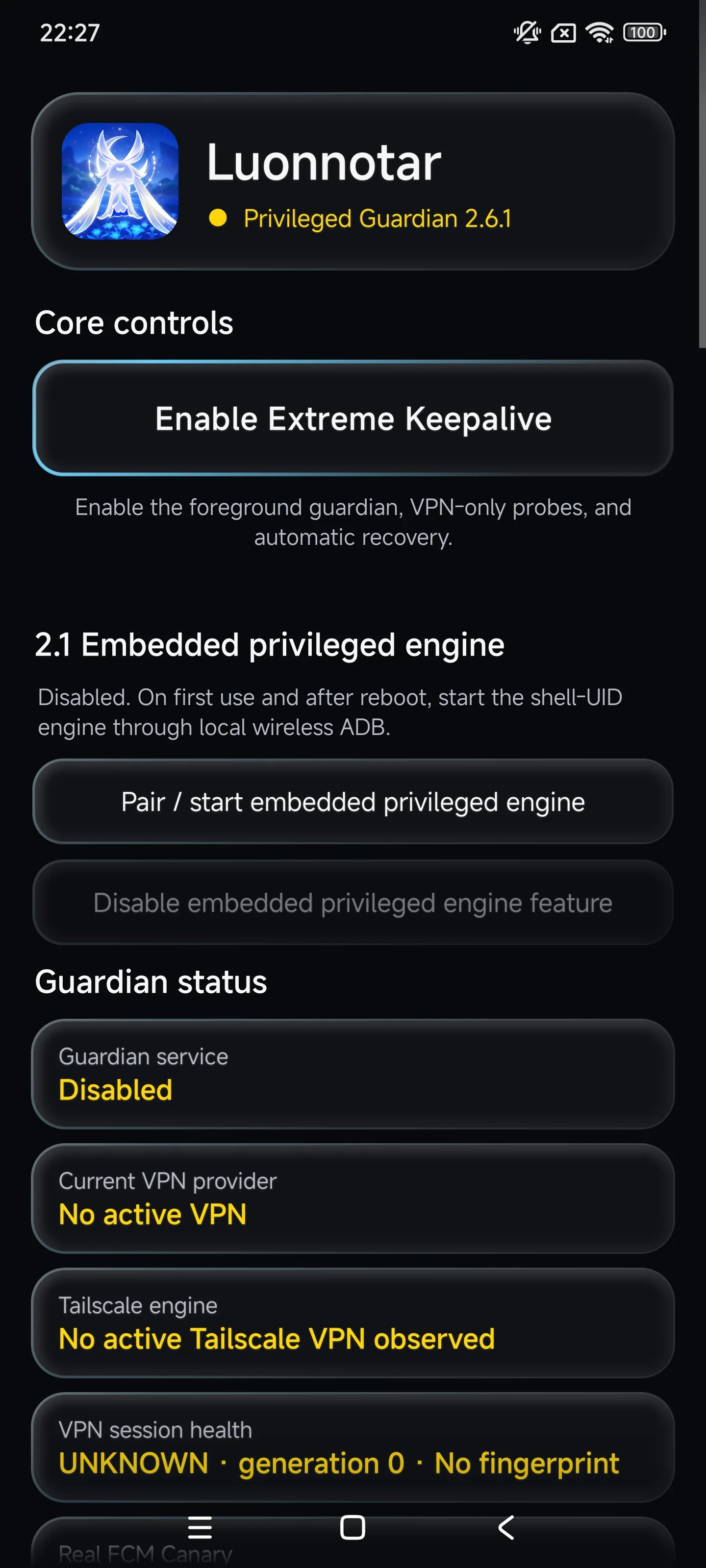
That distinction shaped the interface. The guardian PID is shown separately from the active VPN provider, Tailscale state and session health. A generation number and fingerprint can tell you that the network session changed even when the app itself never visibly crashed.这个区别直接影响了界面设计。守护服务 PID、当前 VPN Provider、Tailscale 状态和 VPN 会话健康被拆开显示;generation 与 fingerprint 则用来判断网络会话是否已经换代,即使应用表面上从未崩溃。
Luonnatar is meant to expose enough state that a failure can be reproduced instead of hand-waved away as “Android killed it.”努昂诺塔要做的不是把问题概括成一句“Android 杀后台”,而是尽量留下足够状态,让故障能够被复现和解释。
Interface界面
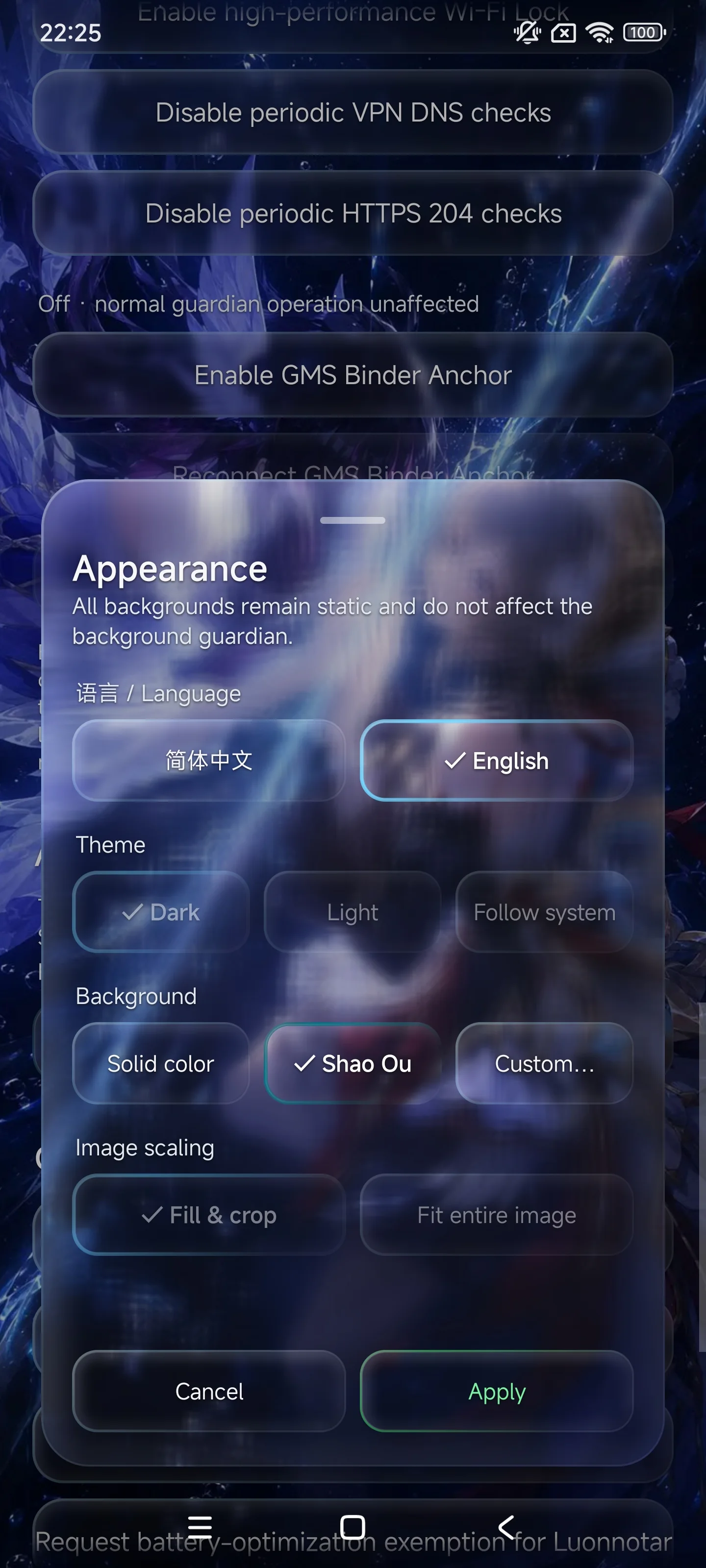
Luonnatar spends most of its effort on survival and recovery, but the interface is not an afterthought: shared-scene rendering, optical response, synchronized coordinates, dynamic contrast, touch feedback, theme transitions and a full appearance sheet all sit on top of the same native Android app.努昂诺塔的大部分功夫都花在保活与恢复上,但界面也没有被当成附属品:共享场景渲染、光学响应、坐标同步、动态对比度、触控反馈、主题过渡和完整的外观设置,都落在同一个原生 Android 应用里。
Verification验证
CPU Guard, Wi-Fi Lock, Binder Anchor and network probes remain independent so one variable can be changed at a time. The matching diagnostic project, Unraveller, records the evidence while Luonnatar changes the conditions.CPU Guard、Wi-Fi Lock、Binder Anchor 与网络探测保持独立,就是为了每次只改变一个变量。与它配套的析构万理负责记录证据,努昂诺塔负责改变条件。
Open Unraveller查看析构万理↗Download / 02
Open the project archive for the current source and release path.前往下载归档,查看当前源码与发布入口。