Rolling Vault
Recent media is kept by an OR policy: newest asset count or recent-day grace. The policy is adjustable from the iPhone.近期媒体按 OR 策略保留:最新项目数量或最近天数满足其一即可;策略可直接在 iPhone 上调整。
 nazuna.uk

iPhone first · local-first photo preservation iPhone 优先 · 本地优先的照片保全
A local vault beside Photos — built so a library change does not have to become the fate of the only copy. 在 Photos 旁边再放一个本地保险箱——图库发生变化,不必等于唯一副本也跟着消失。
In active development · iOS is the main client. 持续开发中 · iOS 是主客户端。
01 / iOS
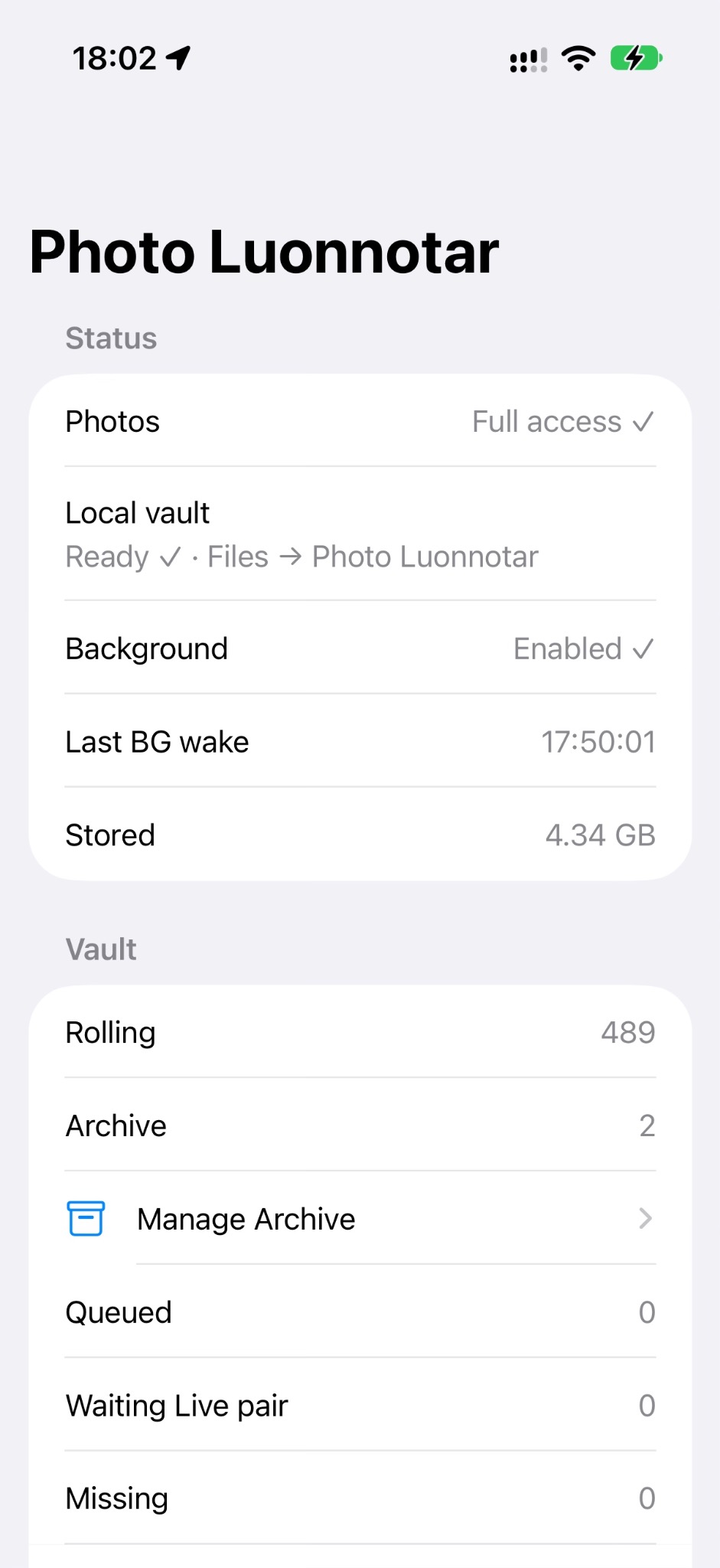
Photo Luonnotar observes the PhotoKit library, queues newly discovered assets and writes its own local copies. Rolling keeps the recent working set; Archive is the colder, persistent side for media that should stay. Photo Luonnotar 观察 PhotoKit 图库,把新发现的资源加入队列,并写入自己的本地副本。Rolling 保存近期工作集;Archive 则负责更冷、更持久的保留。
The iPhone app is the centre of the project: status, policy, manual local passes, reconciliation and diagnostics all live here. iPhone App 是整个项目的中心:状态、策略、手动 Local Pass、Reconcile 与诊断都在这里。
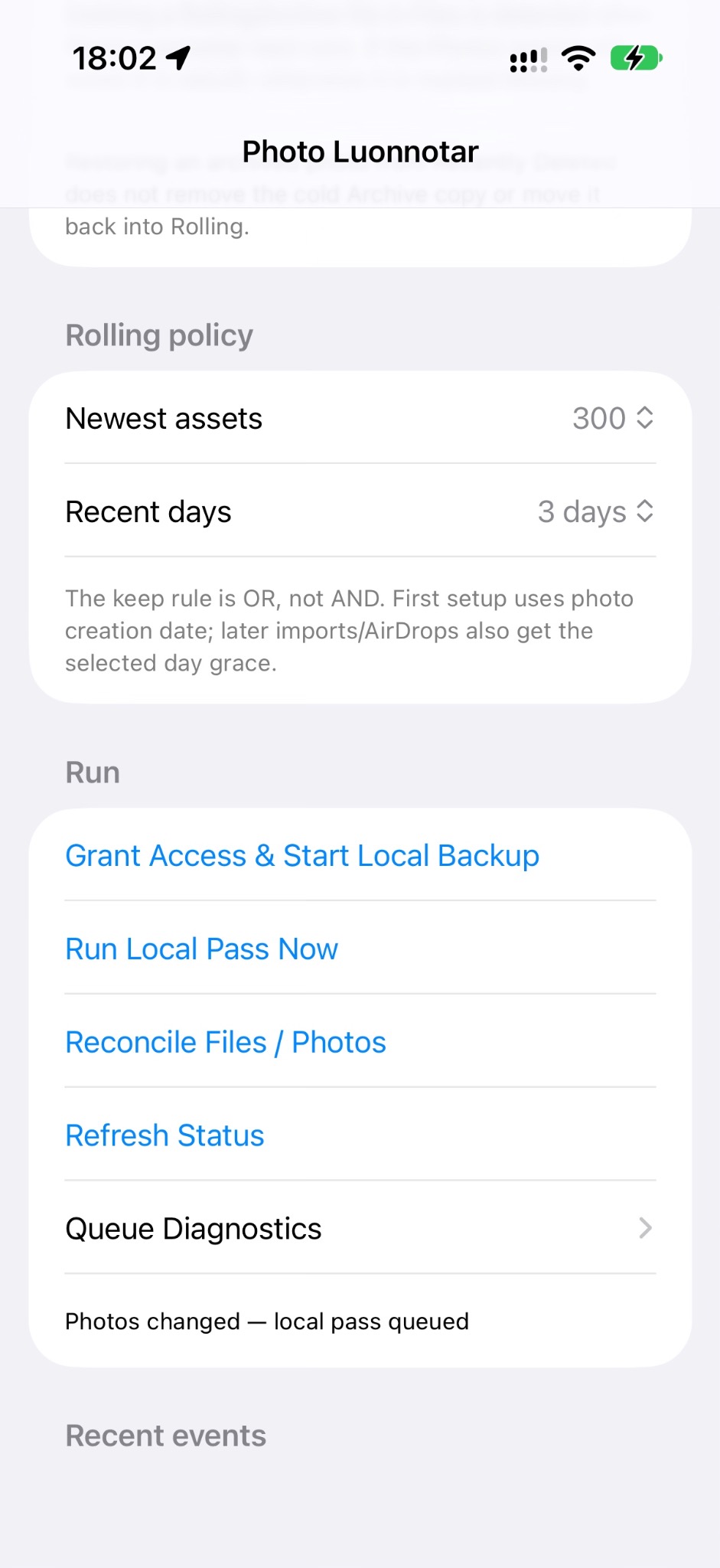
Recent media is kept by an OR policy: newest asset count or recent-day grace. The policy is adjustable from the iPhone.近期媒体按 OR 策略保留:最新项目数量或最近天数满足其一即可;策略可直接在 iPhone 上调整。
Archive is deliberately separate from the rolling window. A system-library deletion does not automatically become an instruction to remove the cold copy.Archive 刻意与 Rolling 窗口分离。系统图库里的“删除”,不会自动变成删除冷备份的命令。
Photo and paired video resources stay together. Live Photos can be preserved in the project’s .alive container for later playback and recovery.照片和配对视频资源一起保留;Live Photo 可以封装进项目的 .alive 容器,之后再播放或恢复。
The vault can reconcile files against Photos again instead of trusting that both sides stayed perfectly aligned forever.保险箱可以重新对账磁盘文件与 Photos,而不是假设两边永远都会完美同步。
Photo changes can queue a local pass for the background opportunities iOS provides; foreground runs remain an explicit fallback.图库变化可以排队等待 iOS 提供的后台执行机会;前台运行仍然保留为明确的兜底方式。
The local vault is visible in Files, while .alive opening and preview integration continues to be tightened up.本地保险箱可以从“文件”中访问,同时继续完善 .alive 的打开与 Quick Look 预览体验。
02 / macOS
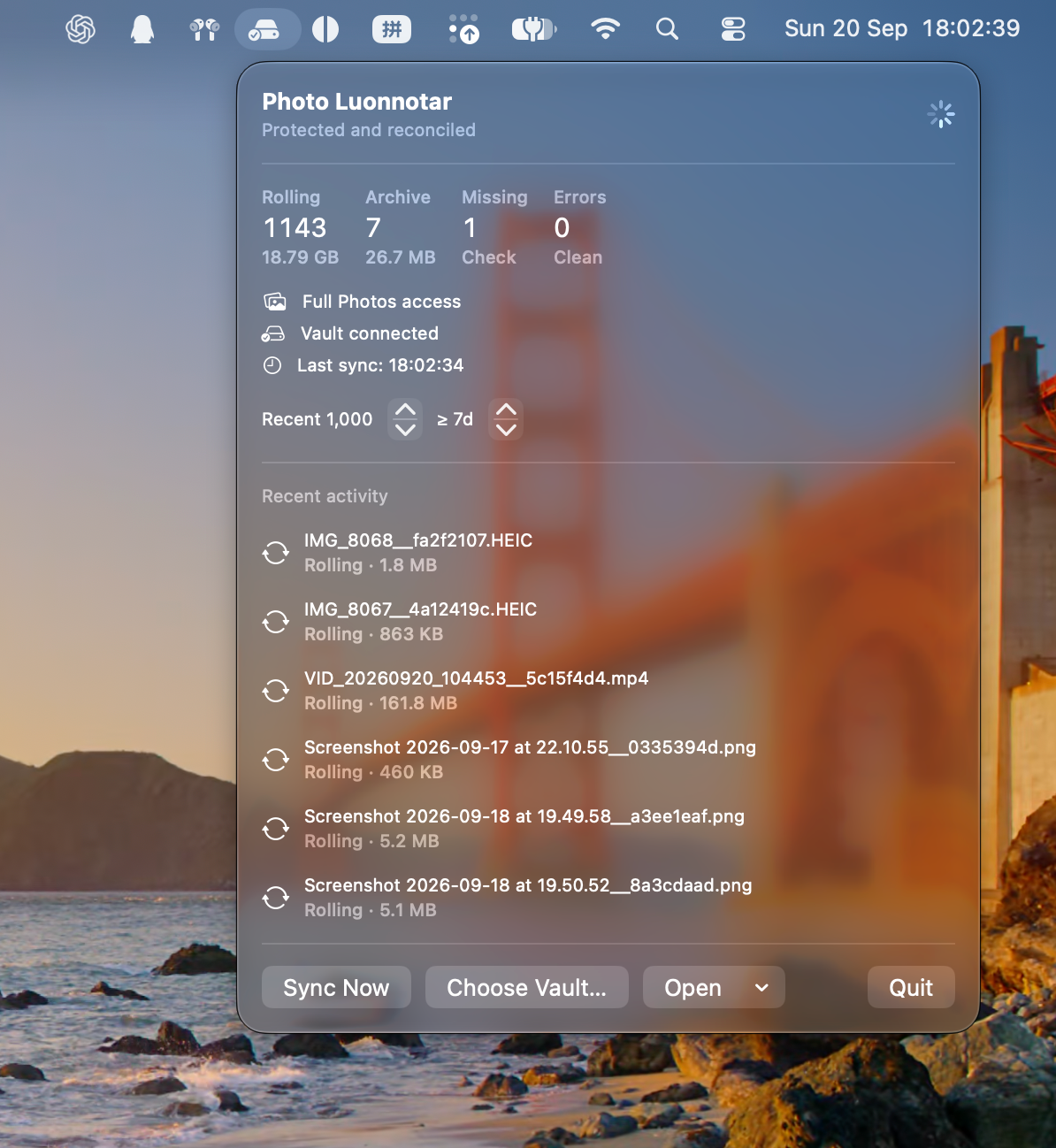
Menu-bar companion菜单栏伴侣版
The Mac build is deliberately small: a status-bar app that exposes Rolling, Archive, Missing, errors, the connected vault, sync state and recent activity without demanding a permanent window.Mac 版刻意做得很轻:它是一个菜单栏 App,直接展示 Rolling、Archive、Missing、错误、保险箱连接、同步状态和最近活动,不需要常驻一个完整窗口。
It is the companion, not the headline. Photo Luonnotar is still designed around the iPhone experience first.它是伴侣版,不是主角。Photo Luonnotar 仍然首先围绕 iPhone 体验设计。
03 / icon